Hydraulic Oil Grades Explained: ISO VG Numbers, AW vs HLP, and Mixing Compatibility
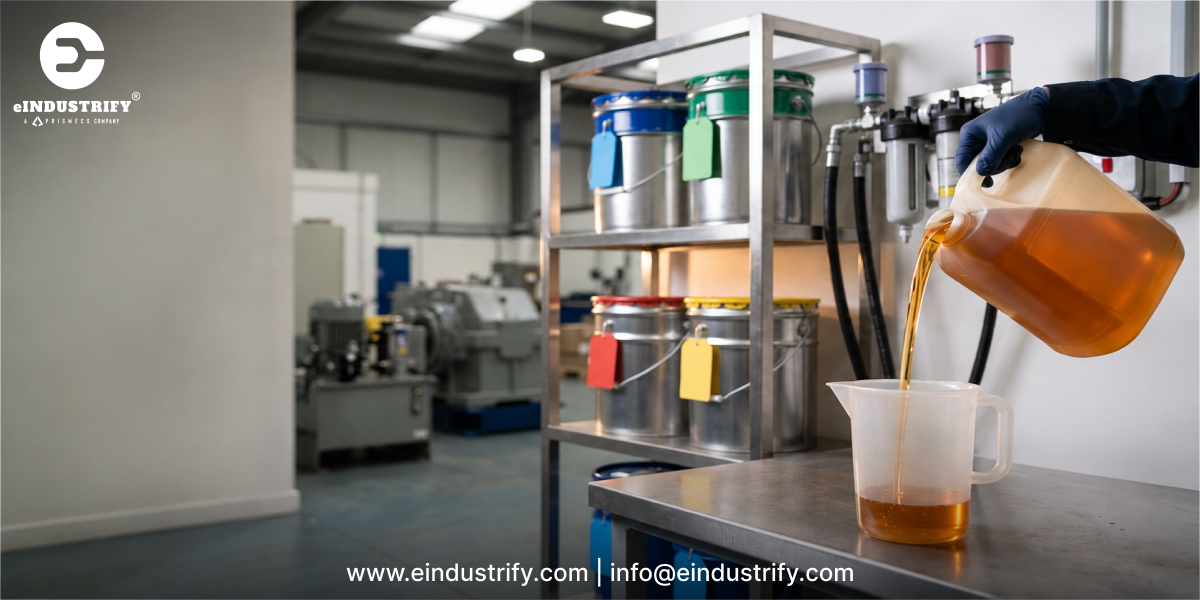
Hydraulic oil grades are defined by two things: viscosity and additive type. The ISO VG number, such as 32, 46, or 68, gives the oil's kinematic viscosity in centistokes (cSt) at 40°C, while labels like AW, HM, and HLP describe its anti-wear and protective additive package. AW (anti-wear) is the common North American term, and HLP is the German DIN 51524 Part 2 classification. AW and HLP oils of the same ISO VG grade usually serve the same duty, but HLP must pass a defined set of performance tests. Many drums carry both labels at once, often printed as HLP-HM. Mixing hydraulic oils is safest when the base oil, additive chemistry, and viscosity grade all match. Mixing mineral oil with fire-resistant or biodegradable fluids, or zinc-based with zinc-free oils, can cause sludge, foaming, filter plugging, and pump wear. What Does Hydraulic Oil Do, and Why Does the Grade Matter? Hydraulic oil is the working fluid that transmits power from a pump to cylinders and motors in hydraulic systems. It also lubricates pumps and valves, carries heat away from components, seals tight internal clearances, protects metal from rust and corrosion, and carries contaminants to the filters. Choosing the wrong grade affects every one of those jobs. Oil that is too thin leaks past internal clearances, reduces volumetric efficiency, and lets metal surfaces touch. Oil that is too thick causes sluggish response, pump cavitation at cold start, higher pressure drop, and wasted energy. Hydraulic Fluid Choice Affects Energy Use Efficiency is not a small issue in fluid power. A December 2012 study for the U.S. Department of Energy, led by Oak Ridge National Laboratory with the National Fluid Power Association (Estimating the Impact (Energy, Emissions and Economics) of the U.S. Fluid Power Industry), estimated that fluid power systems transmit 2.0% to 2.9% of all U.S. energy and found that their average efficiency is about 22%. Correct viscosity, high viscosity index, and clean fluid are among the simplest ways to reduce internal leakage, heat, and pumping losses in that equation. Where Hydraulic Oil Grades Matter Most Grade selection is critical in: Manufacturing: industrial presses, injection molding machines, and machine tools. Mobile equipment: excavators, cranes, and other off-road machines exposed to outdoor temperature swings. Offshore and marine hydraulics: deck machinery, steering gear, and thrusters where leaks can reach water. Heavy industry: steel mills, foundries, and die casting near ignition sources. Power generation: turbine control valves, hydraulic start systems, and gate or damper actuators. ISO VG Numbers Explained ISO VG is the viscosity grade system of the International Organization for Standardization, defined in ISO 3448. Each grade number equals the oil's midpoint kinematic viscosity at 40°C (104°F), measured in centistokes (mm²/s), with an allowed tolerance of plus or minus 10%. A higher number means a thicker oil. Common Hydraulic Oil ISO VG Grades ISO VG grade Viscosity range at 40°C (cSt) Typical use Common equipment examples ISO VG 15 13.5 to 16.5 Very cold climates, low-temperature start-up Arctic mobile equipment, some machine tool hydraulics ISO VG 22 19.8 to 24.2 Cold climates, low-pressure systems, some machine tools Outdoor equipment in winter, light-duty machine tools ISO VG 32 28.8 to 35.2 Indoor industrial hydraulics, cooler operating temperatures Injection molding machines, climate-controlled plant systems ISO VG 46 41.4 to 50.6 Most common general-purpose industrial and mobile grade Presses, excavators, cranes, general plant hydraulics ISO VG 68 61.2 to 74.8 Hot environments, heavy loads, older or worn pumps Steel mill and foundry hydraulics, hot-climate mobile fleets ISO VG 100 90 to 110 High-temperature or very heavily loaded systems Slow, heavily loaded presses in hot plants ISO VG 150 135 to 165 Rare in hydraulics; very high operating temperatures Specialized low-speed systems where the OEM specifies it How to Choose the Right ISO VG Grade The correct grade keeps oil inside the pump manufacturer's viscosity window at both cold start and normal operating temperature. Bosch Rexroth, for example, gives an optimum operating viscosity of 16 to 36 mm²/s for its axial piston units, with stricter limits for minimum viscosity at maximum temperature and maximum viscosity at cold start. Other pump types tolerate different ranges: Pump type Typical operating viscosity range Selection note Axial piston (Bosch Rexroth example) 16 to 36 cSt optimum Tightest optimum window; check the unit's data sheet Piston pumps (general) About 10 to 160 cSt Highest pressures; most sensitive to contamination Vane pumps About 14 to 160 cSt Lower cold-start limits than piston pumps External gear pumps Up to about 300 cSt Tolerant and economical Internal gear pumps Up to about 2,200 cSt Widest range; quiet operation General ranges: Machinery Lubrication. Always confirm against the specific pump's data sheet. Key selection factors include: Pump type: vane, piston, and gear pumps each have different viscosity limits. Operating temperature: check the actual reservoir and case drain temperatures, not just ambient. Start-up temperature: cold starts with thick oil can cause cavitation and starvation. Climate and season: outdoor mobile equipment may need a lower grade or a multigrade fluid. OEM specification: equipment manuals and warranty terms come first. Viscosity Index: Why It Matters as Much as the ISO VG Number The ISO VG number only describes viscosity at 40°C. Viscosity index (VI) shows how much viscosity changes with temperature. Conventional mineral hydraulic oils typically have a VI around 95 to 110, while high-VI oils (HV or HVLP), often 140 or more, stay closer to the ideal viscosity across a wider temperature range. High-VI fluids suit outdoor equipment, wide seasonal swings, and systems where efficiency matters, but their VI improvers can shear down over time, so viscosity should be monitored. AW vs. HLP vs. HM: Hydraulic Oil Classifications Explained After viscosity, the next part of a hydraulic oil's name describes its additive performance. Different regions use different labels for similar fluids. What Is AW Hydraulic Oil? AW stands for anti-wear. It is a widely used North American marketing term for mineral hydraulic oil containing rust and oxidation inhibitors plus anti-wear additives, traditionally zinc dialkyldithiophosphate (ZDDP). AW 32, AW 46, and AW 68 are common product names. Because "AW" is not a single standard, performance varies by brand, so check the specifications each product meets. The equivalents table below shows how to do that. What Is HLP Hydraulic Oil? HLP comes from the German standard DIN 51524. The letters mean: H for hydraulic oil, L for rust and oxidation (corrosion and aging) protection, and P for pressure, meaning anti-wear performance under load. DIN 51524 has three parts: Part 1 (HL): rust and oxidation inhibited oils without anti-wear additives. Part 2 (HLP): HL plus anti-wear additives, the most common industrial hydraulic oil in Europe. Part 3 (HVLP): HLP plus viscosity index improvers for wide temperature ranges. To meet DIN 51524-2, an oil must pass defined tests for oxidation stability, wear protection, demulsibility, air release, foaming, and seal compatibility. Wear protection is proven with the FZG gear rig test (ISO 14635-1, procedure A/8.3/90) and a vane pump test (ISO 20763). For ISO VG 32 and heavier grades, the standard requires an FZG failure load stage of at least 10. You will also see HLPD and HVLPD on drums. The "D" means detergent and dispersant additives that hold water and contaminants in suspension instead of letting them separate. These oils suit machine tools and mobile equipment exposed to water ingress, but they are not interchangeable with demulsifying HLP oils in systems that rely on water dropping out in the reservoir. ISO 6743-4 and ASTM D6158 Categories The international ISO 6743-4 classification uses similar codes: HH: no additives. HL: rust and oxidation inhibited. HM: anti-wear, equivalent to HLP. HR: HL with viscosity index improvers. HV: HM with high VI, equivalent to HVLP. HG: anti-stick-slip for slideways. In the U.S., ASTM D6158 defines the same HH, HL, HM, and HV types for mineral hydraulic oils. ISO 6743-4 also covers fire-resistant fluids (the HF family) and environmentally acceptable fluids (the HE family), covered later in this guide. So, Are AW and HLP the Same? In most applications, an AW oil and an HLP oil of the same ISO VG grade are functionally interchangeable, and many products are labeled with both. The difference is assurance: an oil certified to DIN 51524-2 or ISO 6743-4 HM has passed specific tests, while "AW" alone does not guarantee them. For critical systems, select oil by the standards and OEM approvals it meets, rather than by the label. The approvals buyers check most often are: Parker Denison HF-0, HF-1, and HF-2: hybrid piston and vane pump performance. Eaton (Vickers) M-2950-S and I-286-S: Eaton's older mobile and industrial specifications. Newer data sheets list Eaton's current specification, E-FDGN-TB002-E, in their place. Bosch Rexroth Fluid Rating: fluids tested under procedure RDE 90235 and listed on the Rexroth Fluid Rating List RDE 90245. Cincinnati Machine (Milacron) P-68, P-69, and P-70: machine tool hydraulic fluids for ISO VG 32, 68, and 46 respectively. AW 46 and HLP 46 Equivalents: How to Cross-Reference Brands An AW 46 or HLP 46 equivalent is any ISO VG 46 mineral oil that meets DIN 51524-2 (HLP) and ISO 11158 (HM) and carries the OEM approvals your pumps require. Brand names differ; the standards and approvals on the data sheet are what make two products interchangeable. The table below compares four widely stocked ISO VG 46 anti-wear hydraulic oils, using approvals listed on each manufacturer's current product data sheet. Product (ISO VG 46) DIN 51524-2 HLP ISO 11158 HM ASTM D6158 HM Parker Denison HF-0, HF-1, HF-2 Eaton E-FDGN-TB002-E Bosch Rexroth Fluid Rating List 90245 Mobil DTE 25 Ultra Yes (2017 edition) Yes Yes (Class HMHP) Yes Yes Yes Shell Tellus S2 MX 46 Yes Yes Yes Yes Yes Yes Chevron Rando HD 46 Yes Yes Yes Yes Yes Yes Castrol Hyspin AWS 46 Yes Yes Yes Yes Yes Not listed on data sheet Approvals as published on manufacturer data sheets reviewed in October 2026. Formulations and approvals change, so confirm the current data sheet for the exact grade and region before you buy. When you substitute one brand for another, check four things beyond the table: "Approved" vs. "meets": an OEM approval means the oil passed that OEM's own testing. "Meets the requirements of" is the oil supplier's own claim. Zinc-based vs. zinc-free: all four products above use zinc-based anti-wear chemistry. Some equipment makers, including several excavator manufacturers, specify zinc-free oil instead. Do not swap one for the other without checking. Demulsifying vs. detergent: an HLPD oil is not a drop-in replacement for a demulsifying HLP oil. Base oil group: Group II and Group III base oils generally give longer oxidation life than older Group I oils. Sourcing a specific brand, an OEM-approved equivalent, or a consolidated supply across several sites? Send an RFQ on eINDUSTRIFY with the grade, approvals required, package size (pails, 55-gallon drums, or 275-gallon totes), and delivery location, and vetted suppliers will quote against your specification. Zinc-Free, Fire-Resistant, and Biodegradable Hydraulic Fluids Mineral HM/HLP oils cover most systems, but three other fluid families exist for specific risks: deposits, fire, and environmental release. Zinc-Free (Ashless) AW Oils Zinc-free (ashless) AW oils avoid zinc-related deposits and hydrolysis, suit systems with silver or yellow-metal components, and are often preferred where environmental sensitivity or filterability matters. Fire-Resistant Hydraulic Fluids (ISO 12922) Fire-resistant fluids are classified in ISO 6743-4 and specified in ISO 12922. They are used near ignition sources such as steel mills, foundries, die casting, and power plant turbine controls. ISO category Fluid type Typical use HFAE Oil-in-water emulsion (high water content) Mining and longwall hydraulics HFAS Synthetic aqueous solution (high water content) Mining and some press systems HFB Water-in-oil (invert) emulsion Mainly European mining and industrial use HFC Water glycol Steel mills, foundries, die casting HFDR Phosphate ester (water-free) Power plant turbine electrohydraulic control (EHC) systems HFDU Other water-free synthetics, such as polyol esters Systems needing fire resistance with better seal and environmental performance Environmentally Acceptable Hydraulic Fluids (ISO 15380) Environmentally acceptable fluids are specified in ISO 15380 and used where leaks could reach water or soil: HETG: vegetable oils (triglycerides). HEES: synthetic esters. HEPG: polyglycols. HEPR: polyalphaolefins and related hydrocarbons. Their importance is clear in marine settings. A 2011 U.S. EPA report (Environmentally Acceptable Lubricants, EPA 800-R-11-002) estimated that operational discharges and leaks put 36.9 to 61 million liters of lubricating oil into marine port waters each year. That risk drives regulation. The EPA's 2013 Vessel General Permit required commercial vessels 79 feet (24 meters) or longer to use environmentally acceptable lubricants in all oil-to-sea interfaces unless technically infeasible. The Vessel Incidental Discharge Act (VIDA) is moving those requirements to new national standards set by the EPA and enforced by the U.S. Coast Guard. Hydraulic Oil vs. Turbine Oil Hydraulic oils are also distinct from turbine oils, even though both are often ISO VG 32 or 46. Turbine oils are formulated for long oxidation life and water separation in gas and steam turbine lubrication systems, while hydraulic oils prioritize anti-wear protection for pumps and valves. In power plants, keep the two separate.Turbine lube oil systems on turbine skids and balance-of-plant equipment are specified to the turbine OEM's lube oil requirements, while EHC control systems often run on phosphate ester (HFDR). Neither should be topped up with general-purpose AW hydraulic oil. Can You Mix Hydraulic Oils? Compatibility Rules You can sometimes mix hydraulic oils, but only when they share the same base oil type and compatible additive chemistry. Even then, mixing should be limited to occasional top-ups, not a routine practice. Why Mixing Hydraulic Oils Causes Problems Each hydraulic oil is a balanced formulation. When two additive packages meet, they can react or compete for metal surfaces. Common results include: Additive precipitation: insoluble sludge or gel that plugs filters and sticks valves. Foaming and poor air release: entrained air leads to cavitation, spongy actuators, and noise. Loss of demulsibility: water no longer separates and drains from the reservoir. Reduced oxidation life: the mixture ages faster and forms varnish. Seal problems: some fluid types swell, shrink, or harden seals designed for another fluid. Hydraulic Oil Compatibility Guide Mixing scenario Compatibility Guidance Same product, same ISO VG Compatible Normal top-up practice Same type (e.g., HM/HLP), different brands Usually compatible Limit to small top-ups; confirm with suppliers HLP into HVLP of the same chemistry Compatible, but lowers VI Cold-start and hot-running viscosity both shift; plan the change Different ISO VG grades of the same oil Compatible, but changes viscosity Resulting viscosity falls between grades; avoid unless planned Zinc-based AW with zinc-free AW Risky Can form precipitates; test before mixing Detergent HLPD with demulsifying HLP Risky Water stops separating in the reservoir; avoid in systems that rely on drainage Mineral oil with polyalphaolefin (HEPR) Usually miscible Mixture loses its environmentally acceptable status; follow supplier limits Mineral oil with synthetic esters (HEES) Limited Follow fluid supplier and OEM changeover limits Mineral oil with water glycol (HFC) Incompatible Never mix; full flush and seal review required Mineral oil with phosphate ester (HFDR) Incompatible Never mix; seals and paints may also need replacing Phosphate ester (HFDR) with polyol ester (HFDU) Incompatible Never mix; different seal and additive requirements How to Check Compatibility Before Mixing When in doubt, ask both oil suppliers for a compatibility statement, or run a compatibility test. Laboratories often adapt ASTM D7155, the standard practice for evaluating mixtures of turbine oils, to hydraulic fluids: blends of both oils are heated, stored, and inspected for haze, sediment, and changes in foaming, air release, and filterability. How to Change Hydraulic Oil Types Safely Drain the system hot so contaminants stay suspended, including lines, actuators, and coolers where practical. Clean the reservoir and remove sludge or varnish deposits. Replace all filters and breathers. Flush the system with the new fluid, or a dedicated flushing fluid, until residual old oil is below the limit the new fluid supplier specifies, often a few percent. Refill and sample after a short run-in period to confirm viscosity, cleanliness, and additive levels. Label the reservoir and fill points with the new fluid type to prevent future cross-contamination. When changing between fluid families, such as mineral oil to HFC or HFDU, also review seals, hoses, paints, and filter media with the equipment OEM before the changeover. Keeping Hydraulic Oil in Grade Even the correct oil stops protecting a system once it is contaminated or degraded. Particles, water, air, and heat are the main enemies of hydraulic fluid. Cleanliness (ISO 4406): particle contamination is reported as three numbers, such as 18/16/13, for particles larger than 4, 6, and 14 microns per milliliter. Lower numbers mean cleaner oil. High-pressure piston pumps and servo or proportional valves need tighter targets than gear pumps, so set a target code per machine and choose filters with beta ratings that meet it. Oil analysis: track viscosity (a change of more than about 10% from new oil usually signals contamination, mixing, or shear-down), water by Karl Fischer titration, acid number, particle count, and varnish potential by membrane patch colorimetry (MPC). Elemental spectroscopy is the quickest way to detect an unplanned mix: a change in zinc or phosphorus levels shows a different additive package has entered the system. Critical systems are often sampled quarterly or every 500 to 1,000 operating hours. Change intervals: there is no single interval. Many OEMs suggest 2,000 to 4,000 operating hours or annually for mobile equipment, while large, well-filtered industrial systems can run much longer. Condition-based changes, triggered by oil analysis, are generally more reliable and economical than fixed calendar intervals. Storage and handling: store drums indoors or on their sides with bungs at 3 and 9 o'clock, use dedicated labeled transfer containers for each fluid type, filter new oil when filling, and fit desiccant breathers in humid or dusty sites. Frequently Asked Questions About Hydraulic Oil Grades What is the difference between ISO VG 32, 46, and 68 hydraulic oil? The number is the oil's viscosity in centistokes at 40°C. ISO VG 32 is thinner and suits cooler conditions, ISO VG 46 is the most common general-purpose grade, and ISO VG 68 is thicker for hotter environments and heavier loads. Is AW 46 the same as HLP 46? In most applications they are functionally equivalent: both are ISO VG 46 mineral oils with anti-wear additives. HLP 46 is certified to DIN 51524 Part 2, while AW 46 is a general term, so check which standards a specific product meets. Is HLP 46 the same as ISO 46? Not exactly. "ISO 46" only tells you the viscosity grade. "HLP 46" tells you the viscosity grade and that the oil meets DIN 51524-2 for anti-wear, oxidation, and demulsibility performance. An R&O oil or a turbine oil can also be ISO VG 46 without being HLP. What is the equivalent of AW 46 hydraulic oil? Any ISO VG 46 mineral oil that meets DIN 51524-2 (HLP) and ISO 11158 (HM) is a general equivalent. Widely stocked examples include Mobil DTE 25 Ultra, Shell Tellus S2 MX 46, Chevron Rando HD 46, and Castrol Hyspin AWS 46. For critical pumps, match the OEM approvals too, such as Parker Denison HF-0 or Eaton E-FDGN-TB002-E. Can I use ISO VG 68 instead of ISO VG 46? Only if the pump's viscosity limits allow it at your operating and cold-start temperatures. A thicker oil can cause sluggish operation, cavitation, and higher energy use in systems designed for ISO VG 46. Can I mix AW 32 and AW 46? If both are the same product line, they will mix chemically, but the blend will land somewhere between ISO VG 32 and 46. That can push viscosity outside the pump's window, so do it only as a planned grade change, not as a top-up. What happens if you mix two different hydraulic oils? Compatible oils of the same type usually mix without problems in small amounts. Incompatible oils can form sludge, foam, and deposits, plug filters, and damage pumps and seals. Fire-resistant and mineral oils should never be mixed. Can engine oil or turbine oil be used as hydraulic oil? Only where the equipment maker specifies it. Some mobile equipment makers do approve engine-oil-type or SAE 10W fluids for their hydraulic systems, and in those machines the OEM fluid comes first. In industrial systems built for HM/HLP oil, engine oils are a poor substitute because their detergents can hold water in suspension, and turbine oils lack the anti-wear additives many hydraulic pumps require. What package sizes is hydraulic oil sold in? Industrial hydraulic oil is commonly supplied in 5-gallon (about 19-liter) pails, 55-gallon (208-liter) drums, 275-gallon or 1,000-liter intermediate bulk container (IBC) totes, and bulk tanker deliveries. Larger plants usually buy drums or totes and filter the oil on transfer. Key Takeaways A hydraulic oil's ISO VG number tells you about its viscosity at 40°C, while AW, HM, and HLP describe its anti-wear additive package. Choose the grade that keeps viscosity inside your pump's limits at both cold start and operating temperature, select oil by the standards and OEM approvals it meets, and avoid mixing fluids with different base oils or additive chemistries. In maintenance work at power plants and oil and gas facilities, Prismecs teams often trace sticky valves, foaming, and early pump wear back to the wrong grade or an unplanned mix of fluids. Source OEM-Approved Hydraulic Fluids on eINDUSTRIFY Know the grade and approvals you need? Send an RFQ on eINDUSTRIFY for HLP, HVLP, zinc-free, fire-resistant, or environmentally acceptable hydraulic fluids in pails, drums, or totes. Every seller is vetted, and you can add the filters, breathers, and hydraulic and plant components your changeover needs to the same request. Seeing Foaming, Sticky Valves, or Short Pump Life? For plant engineers, reliability teams, and maintenance managers in power generation and oil and gas, the fix often starts with the oil. Prismecs, eINDUSTRIFY's services partner, reviews your lubricant specifications, runs oil analysis, plans safe fluid changeovers, and sources OEM-approved hydraulic fluids for power, oil and gas, and industrial systems. Book an appointment with Prismecs or talk to our maintenance expert today at 1 (888) 774 7632.